
You are comparing AI agent tools and cannot tell what the final bill will be. Many platforms hide setup fees, per-seat charges, and scaling costs until after you commit.
This guide breaks down AI agent creation software pricing, including per-member versus annual plans and the hidden costs to watch for. You will also see exactly what Tasks.Bot charges, what its ₹200 monthly and ₹1,200 yearly plans include, and how to judge whether it fits your team.
What Is Tasks.Bot? AI Agent Creation Software Explained
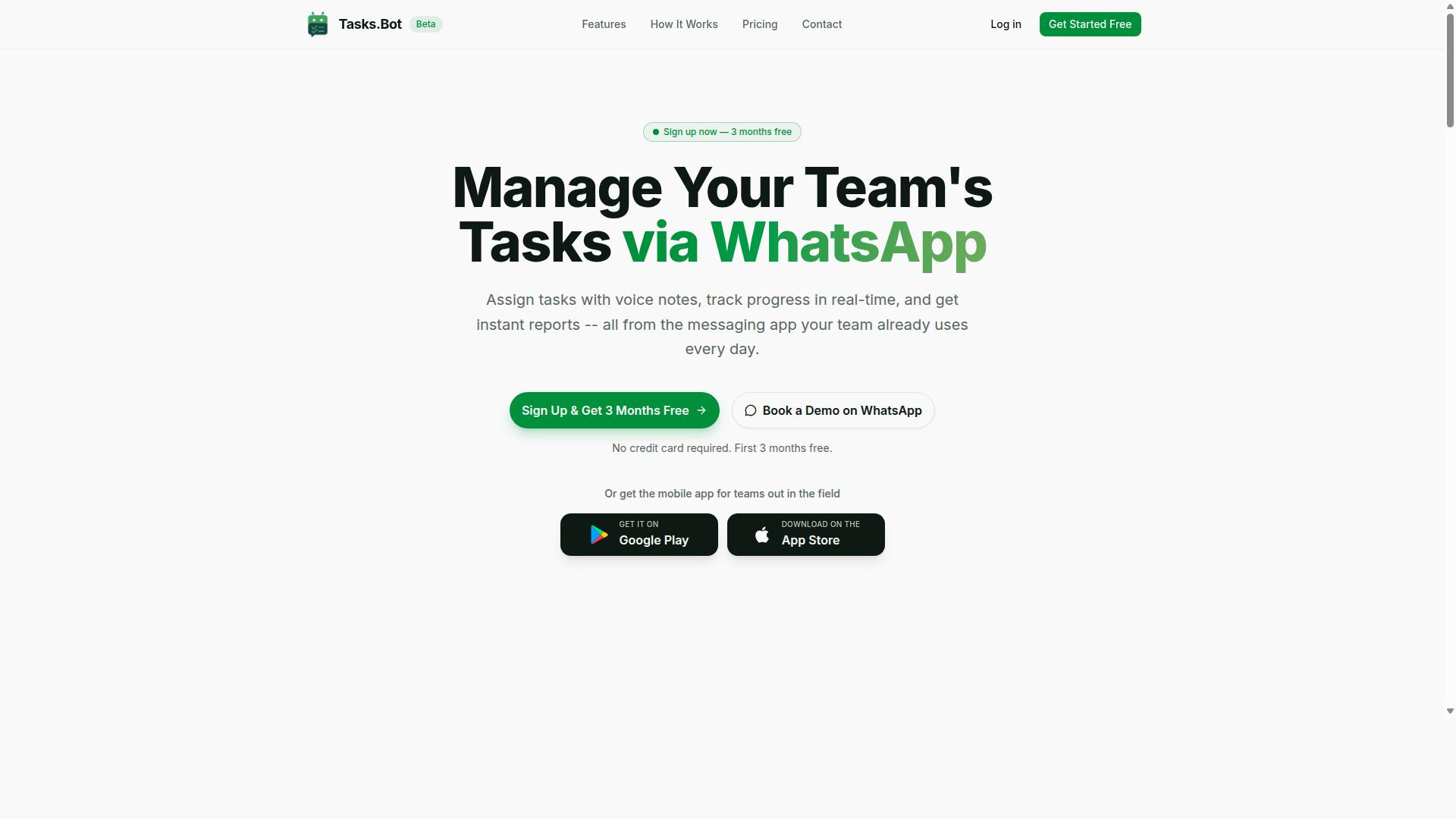
Tasks.Bot is a task management platform that operates entirely within WhatsApp, allowing teams to assign tasks, track progress, and receive reports without leaving the messaging app. Rather than forcing users into a separate dashboard or a new system to learn, it treats the messaging app people already open every day as the workspace itself.
That design choice matters when you are comparing AI agent creation software and its costs. Most platforms in this category charge for seats, dashboards, and onboarding time. Tasks.Bot sidesteps much of that overhead by using WhatsApp as its primary interface, which keeps adoption simple for teams that are already there.
It also offers a mobile app for field teams, so staff who are not sitting at a desk can still take part. The service is currently in beta and offers a free trial period, which makes it a low-risk category to evaluate alongside the pricing structures covered elsewhere in this guide.
In short, Tasks.Bot sits in the conversational AI corner of the market. It uses AI to understand user intent and create tasks from messages, rather than leaving a request as a chat reply that goes nowhere.
Who Tasks.Bot Serves and How It Works on WhatsApp
Tasks.Bot is designed for teams that rely on WhatsApp for communication, particularly those with field staff who need to manage tasks, track attendance, and generate payroll-ready hours. The site mentions hundreds of teams already using the service, and it is currently in beta with a free trial period available.
The core appeal is that nothing new has to be installed or learned. Team members do not need to create separate accounts or adopt another app. They assign tasks through voice notes or text, receive smart deadline reminders, and get instant reports, all inside the same conversation thread they already use.
That combination covers three jobs that usually require three separate tools:
- Task assignment through natural language, including voice notes
- Attendance tracking for staff who are not at a desk
- Payroll-ready hours generated from the same activity log
For teams with field staff, the mobile app extends this beyond WhatsApp when a dedicated view is useful. The practical result is that a supervisor can send a voice note and a worker can respond from the job site, with no desktop step in between.
This matters for pricing because it changes what you are actually buying. You are not paying for a no-code builder or a workflow automation canvas to configure. You are paying for an agent that fits into an existing habit, which typically means less setup cost and far less training time across a distributed crew.
What You Should Expect to Pay for AI Agent Creation Software
Understanding the cost structure of AI agent creation software is crucial for budgeting and comparing options. Vendors in this space rarely use a single, simple price tag. Instead, most combine a base subscription with charges tied to usage, seats, or both.
This pricing guide breaks down the models you will encounter so you can estimate a realistic total spend before committing. It stays vendor-neutral and focuses on how the market generally structures fees.
The main pricing models include:
- Seat-based pricing, charged per member per month or per year
- Usage-based pricing, billed on token consumption, API calls, or compute costs
- Tiered plans, where features and limits increase at each level
- Enterprise licensing, a custom contract for large organizations
- Freemium and pay-as-you-go, a free entry point with metered charges beyond it
Your final bill often depends on factors like API access fees, model hosting, vector database usage, and the orchestration layer that connects everything. A platform with a low base fee can still cost more once LLM inference and storage scale up.
Typical Pricing Models: Per Member, Per Month vs. Annual Plans
Most AI agent creation platforms offer seat-based pricing, where the cost is calculated per member per month or per year. This model suits teams because it ties cost to the number of people building, testing, or managing agents.
Monthly billing tends to run higher on a per-month basis but offers flexibility. You can pause, downgrade, or switch tools without a long commitment. Annual plans usually come with a discount, often framed as getting a couple of months free, but they require paying upfront.
Seat-based plans vary widely in price depending on the vendor and tier, with advanced tiers that include more usage allowances sitting well above basic ones. Here is a quick comparison:
| Model | Strength | Trade-off |
|---|---|---|
| Monthly per member | Flexibility, low upfront cost | Higher cumulative spend |
| Annual per member | Discount, predictable budget | Upfront commitment |
| Usage-based | Pay only for what you use | Harder to forecast |
When comparing, calculate the annual total for each option rather than just the monthly figure. A lower monthly rate can cost more over twelve months if usage charges are not capped.
Hidden Costs to Watch For: Setup Fees, Add-Ons, and Scaling Charges
Beyond the base subscription, AI agent creation software can incur additional costs that significantly impact your total spend. These are easy to overlook during a trial and can surprise you later.
Common extras include:
- Setup or onboarding fees for migration, configuration, or training
- Add-ons such as advanced analytics, extra storage, or premium support
- Scaling charges for higher API call volumes or token consumption
- LLM inference and model hosting costs passed through from providers
- Vector database and orchestration layer fees as data grows
Usage-based charges are the biggest variable. Token consumption, compute costs, and API access fees scale with how many autonomous agents you run and how often they act. A multi-agent system with heavy natural language processing will consume far more than a single conversational AI assistant.
Before committing, ask vendors directly about overage rates, storage limits, and whether model hosting is included or billed separately. Estimate your monthly token volume and API calls, then model a low, medium, and high scenario. Mapping usage early can help prevent billing surprises. For custom agent development, confirm whether fine-tuning or prompt engineering support carries its own fee.
Tasks.Bot Pricing: Transparent Costs With No Surprises
Tasks.Bot offers a straightforward pricing structure designed to be transparent and predictable. That approach stands out in a market where AI agent creation software often layers subscription cost, usage-based pricing, and API access fees on top of one another.
Instead of tiered plans that lock features behind higher price points, Tasks.Bot keeps things simple. There is one Full Access plan with all features included, so teams never have to guess which tier unlocks the tools they need.
Pricing is available in Indian Rupees and US Dollars, and the site includes a currency selector so users can confirm which option applies to them before committing. This matters for teams comparing costs across regions, since exchange rate assumptions can quietly distort a budget.
Tasks.Bot keeps its pricing to a single plan rather than layering on separate charges. The service is currently in beta and the site mentions a refund policy, which gives new users an extra layer of confidence while the product continues to develop.
For anyone building a budget around AI agent creation software, this kind of clarity removes a common pain point. Many platforms advertise a low entry price, then add charges for compute costs, token consumption, or LLM inference as usage grows. Tasks.Bot's structure avoids that uncertainty entirely.
Full Access Plan: ₹200/Month or ₹1,200/Year Per Member (Save 50%)
Tasks.Bot's Full Access plan is priced at ₹200 per member per month, or ₹1,200 per member per year, offering a 50% savings with the annual option. Pricing is also available in US Dollars, based on the currency options the site provides.
The name says it well: all features are included. There are no separate tiers, no premium add-ons, and no feature gated behind an upgrade. Voice note task creation and GPS tracking, for example, come with the plan rather than costing extra.
Because pricing is per member, teams can scale up or down without renegotiating a contract or absorbing penalty fees. Adding a teammate simply means adding one more seat at the same rate. That predictability is useful for planning headcount and software budgets side by side.
Annual billing is where the real value shows. Choosing the yearly option saves ₹1,200 per member per year, effectively cutting the monthly equivalent in half. For a team of five, that saving multiplies quickly without any change in what the software does.
Compared with the broader AI agent creation software market, where enterprise licensing and usage-based pricing can push costs well beyond initial estimates, a flat per-member rate is easy to forecast. There is no metering tied to token consumption, no charge for heavier workflow automation, and no surprise invoice at the end of the month.
3 Months Free, No Credit Card Required - Try Before You Pay
Tasks.Bot offers a 3-month free trial with no credit card required, allowing teams to test the platform risk-free. That is a generous window compared with the short trials common in this category, and it gives users real time to evaluate how the software fits their workflow.
Importantly, this is not a stripped-down freemium model. The trial provides full access, so teams can explore every feature rather than hitting a paywall after a few uses. There is no limited feature set designed to push an upgrade.
No credit card means no accidental charges and no need to remember a cancellation deadline. Users can cancel anytime, and once the trial ends, they simply choose between monthly or annual billing based on what suits their budget.
For teams weighing a subscription cost, this trial period removes much of the risk. It lets decision-makers confirm the platform works for their needs before any money changes hands. Starting the trial is as simple as reaching out through WhatsApp, where new users can begin the process directly.
Between the single transparent plan, the 50% annual saving, and three months of free full access, Tasks.Bot makes the financial decision unusually easy. There are no hidden fees to uncover, no add-ons to budget for, and no pressure to commit before you are ready.
Key Features Included in Tasks.Bot's Price
Tasks.Bot's Full Access plan includes a comprehensive set of features designed to streamline task management for teams using WhatsApp. The important thing to understand about this pricing structure is that every feature ships inside the single plan. There are no add-on modules, no per-feature unlocks, and no surprise charges layered on top of the base subscription.
This matters because many AI agent creation software platforms follow a different model. They advertise a low entry price, then charge separately for advanced capabilities, higher usage, or premium support tiers. That structure makes budgeting difficult, especially for small teams that need several functions at once.
Tasks.Bot takes a simpler approach. One plan covers the full feature set, including:
- AI task creation from voice notes
- Automatic task assignment
- Smart deadline reminders
- Approvals and automations
- Instant reports
- Tasks on a map
- Live day tracker
- Face-verified attendance
- Shifts, leave, and hours management
- Native WhatsApp integration
- Android and iOS apps with push notifications, voice capture, and a home screen widget
The service also uses AI to understand user intent and create tasks from messages, so the intelligence behind the system is part of what you pay for, not a separate line item. For buyers comparing a subscription cost against a tiered plans model, this single-price structure removes a lot of guesswork.
The subsections below break down what each of these capabilities actually does, and why none of them carry an extra fee.
AI Task Creation via Voice Notes, Face-Verified Attendance, and GPS Tracking
Tasks.Bot uses AI to convert voice notes into tasks, verifies attendance with facial recognition, and tracks field staff locations via GPS. These three capabilities sit at the core of the platform, and all of them are included in the base price.
Here is how each one works in practice.
AI task creation via voice notes. A team member sends a voice note through WhatsApp, the same way they would message a colleague. Tasks.Bot uses AI to understand the intent behind that message and create the task automatically. This is a meaningful contrast to platforms that charge extra for API access or workflow automation add-ons.
Face-verified attendance. Staff check in using facial recognition rather than a shared code, PIN, or sign-in sheet. This prevents buddy punching, where one employee clocks in on behalf of another. For businesses paying hourly wages, that kind of accuracy protects the payroll budget directly.
GPS tracking for field staff. Teams working off-site can be tracked in real time, which supports accountability and gives managers visibility into where work is actually happening. Tasks on a map are part of the same feature set.
All three capabilities are covered by the subscription. There is no separate charge for voice processing, no premium tier for attendance verification, and no usage-based pricing tied to how many check-ins or location pings your team generates.
Instant Reports, Smart Reminders, and Payroll-Ready Hours Management
Tasks.Bot automates reporting, sends smart deadline reminders, and tracks hours for payroll integration. Together, these features cut down the administrative load that usually falls on a manager or back-office staff member.
Instant reports. Reports on task completion, attendance, and hours can be generated directly inside WhatsApp. There is no need to export data into a separate spreadsheet tool or wait for a weekly summary. Managers get the picture when they need it, in the app their team already uses.
Smart reminders. The system sends automatic notifications for upcoming deadlines and overdue tasks. Rather than relying on a supervisor to chase people manually, the platform handles follow-up on its own. Approvals and automations support this same goal of reducing manual oversight.
Payroll-ready hours management. Time tracking feeds into shifts, leave, and hours management, producing records that can be exported for payroll. Because attendance is face-verified, the hours that reach payroll are based on confirmed check-ins rather than estimates.
The practical effect is fewer hours spent reconciling timesheets, chasing updates, and compiling reports by hand. Each of these functions is part of the standard plan, so there is no separate reporting module to purchase and no per-report fee to absorb. For a team weighing subscription cost against the staff time it replaces, that inclusion is a significant part of the value.
Who Should Use Tasks.Bot
Tasks.Bot is ideal for teams that already use WhatsApp for communication and need to manage tasks, attendance, and field staff efficiently. If your daily coordination already happens in chat threads, the tool fits into a habit your team has rather than asking them to adopt a new one.
The service is built around hundreds of teams already using it, which tells you the product has moved past the experimental stage. It is also accessible worldwide, so location is not a barrier for distributed or cross-border operations.
Small and medium businesses tend to get the most out of it. They rarely have the budget for dedicated workforce management platforms, yet they face the same operational pressure as larger firms. Tasks.Bot closes that gap without adding another complex system to administer.
Below are the groups where the fit is strongest, along with the situations where the product earns its place.
- Small and medium businesses that need structure without enterprise overhead.
- Teams with field staff such as delivery, sales, and maintenance crews who work away from a desk.
- Any team already using WhatsApp as its primary communication channel.
Field teams are a particularly natural match. A delivery driver, a sales rep on the road, or a maintenance technician cannot stop to log into a desktop dashboard. When the workflow lives in WhatsApp, assigning tasks on the go becomes a quick message rather than a separate admin step.
Attendance tracking is another scenario where the product shines. For teams spread across sites or shifts, capturing who showed up and when is often a manual headache. Handling it through a channel staff already check throughout the day removes friction from the process.
Payroll-ready hours follow from the same foundation. When attendance and task data are captured consistently, generating payroll hours stops being a monthly scramble through spreadsheets and memory. That reliability matters most for businesses paying hourly workers, where small tracking errors compound quickly.
Because Tasks.Bot serves users worldwide, it suits companies with staff in multiple regions or time zones. There is no geographic restriction to work around, which keeps rollout simple for growing teams.
If your operation runs on WhatsApp and your people are often on the move, Tasks.Bot is built for exactly that setup.
Final Verdict: Is Tasks.Bot Worth the Price?
Tasks.Bot offers a compelling value proposition with its transparent pricing, comprehensive features, and seamless WhatsApp integration. At ₹200 per member per month, or ₹1,200 per year, teams get access to every feature the platform offers rather than being locked out of key tools by a higher paywall.
That single price covers AI task creation, attendance, GPS tracking, reports, and payroll-ready hours. For most teams, that combination would otherwise require several separate subscriptions stitched together.
Consider what a typical stack looks like without a unified tool. A task manager, an attendance tracker, a location monitoring service, and a reporting or payroll tool each carry their own subscription cost, and each adds another login for every team member.
Consolidating those functions into one platform at a flat per-member rate removes both the added spend and the administrative overhead of managing multiple vendors.
Tasks.Bot also lowers the barrier to trying the product. The platform includes a 3-month free trial with no credit card requirement, so teams can evaluate it against their actual workflow before committing any budget.
That matters in a pricing guide context, because the biggest cost of new software is often the time spent migrating and retraining if the tool does not fit. A trial period with no card on file lets a team test that fit at zero financial risk.
The service is currently in beta, which is worth noting for buyers comparing it to mature, longer-established platforms. Even so, it is already used by hundreds of teams, which suggests the core functionality holds up in real day-to-day use.
Beta status can actually work in a buyer's favor. Early adopters often shape the product roadmap, and pricing at this stage tends to stay favorable compared to what mature competitors charge once they have captured market share.
For WhatsApp-centric teams, the verdict is straightforward. If your daily communication already happens in WhatsApp groups, Tasks.Bot meets you where your team already works instead of forcing a new app into the routine.
Teams that live in email, Slack, or a dedicated project management suite may find less immediate fit, since the platform's core strength is its WhatsApp integration. But for the audience it targets, the value is clear.
To summarize the case for Tasks.Bot:
- Transparent pricing: ₹200 per member per month, or ₹1,200 per year, with no hidden tiers
- All features included: AI task creation, attendance, GPS tracking, reports, and payroll-ready hours
- Low-risk trial: 3 months free with no credit card required
- Proven adoption: already used by hundreds of teams despite beta status
- Native fit: built for teams that run their operations through WhatsApp
Weighing the subscription cost against the price of separate tools for tasks, attendance, tracking, and reporting, Tasks.Bot comes out ahead for most small and mid-sized teams. The flat rate keeps budgeting simple, and the free trial removes the guesswork.
For teams ready to move forward, Tasks.Bot can be reached by phone at +91 97143 42522 or by email at [email protected]. Given the transparent pricing, the all-inclusive feature set, and the WhatsApp-first design, Tasks.Bot is worth the price for the teams it is built to serve.
Frequently Asked Questions
How is Tasks.Bot priced compared to other AI agent creation software?
Tasks.Bot keeps pricing simple with a single 'Full Access' plan that includes all features - no tiers or add-ons to compare. It costs ₹200 per member per month, or ₹1,200 per year per member on the annual plan (a 50% saving), with pricing available in both Indian Rupees and US Dollars. Because plans vary widely across the market, always check what each provider includes before comparing headline prices.
Does Tasks.Bot charge per user, or is there a flat fee?
Tasks.Bot charges per member: ₹200 per member per month, or ₹1,200 per year per member if you choose annual billing. That means your total cost scales with the size of your team rather than being a flat fee. For teams with field staff, this per-member model covers everyone who needs tasks, attendance tracking, and payroll-ready hours.
Is there a free trial or a cheaper entry-level plan?
Tasks.Bot currently offers one 'Full Access' plan with all features included, rather than a separate free or entry-level tier. The service is also currently in beta, and the website mentions a refund policy in the footer. If you'd like to see how it works before committing, you can use the 'Book a Demo on WhatsApp' option on the site.
What do I actually get for the price?
The 'Full Access' plan includes everything Tasks.Bot offers: task management inside WhatsApp, voice note task creation, automatic task assignment, smart deadline reminders, approvals and automations, instant reports, tasks on a map, live day tracking, and face-verified attendance. There's also a mobile app for field teams. Since it runs entirely within WhatsApp, team members don't need to install anything or create new accounts.
Are there hidden costs I should watch for when buying AI agent software?
With Tasks.Bot, the plan is all-inclusive, so there are no feature tiers to upgrade out of later. In general, when evaluating any AI agent tool, ask whether the quoted price covers every user, whether premium features cost extra, and how annual versus monthly billing changes the total. Tasks.Bot's annual option saves 50% compared to paying monthly.
How do I get a quote or ask about pricing for my team?
You can reach Tasks.Bot directly by phone at +91 97143 42522 or by email at [email protected]. The website also offers a 'Book a Demo on WhatsApp' option if you'd prefer to see the platform in action first. Tasks.Bot is available worldwide, so there are no country restrictions to worry about.
Recommended Resources: